
Munshi & site staff
Record supported daily activity on a phone, close to where the work happens.
Keep the site and the office on the same page. Record the day’s work, follow the money, and see the business more clearly.
Demo credentials are shown on the portal login page. Use dummy data only.
From material moving at the plant to records reviewed in the office.

Record stone arriving from the mine.
Record material crushed and follow stock.
Record truckloads, cash or credit, and print.
Capture money coming in and going out.
Review entries, settle and close the period.
Record material quantities in CFT, choose cash or credit, and keep the amount received alongside the sale. Generate a numbered gate slip that travels with the load. A prepared device with reserved slip numbers can print it even when the internet drops.
MATERIAL SALE · GATE COPY
Raw-material trips, production entries and material sales each tell part of the story. Keep those records available alongside stock views, instead of piecing the day together from separate notes.

Stone arriving from mines
The work happening at the plant
Review quantities in the stock workspace
Look beyond a balance to the entries behind it. Review party ledgers, cash-book movements, receipts and payments in the office workspace.
Keep day-to-day recording connected to the accounts team’s review, with access appropriate to each person’s responsibilities.
Bring weekly settlement and monthly closing into an organized workflow. Review the relevant records, follow balances and use the product’s reports to understand the period. Print supported reports or export CSV and Excel files for further review.
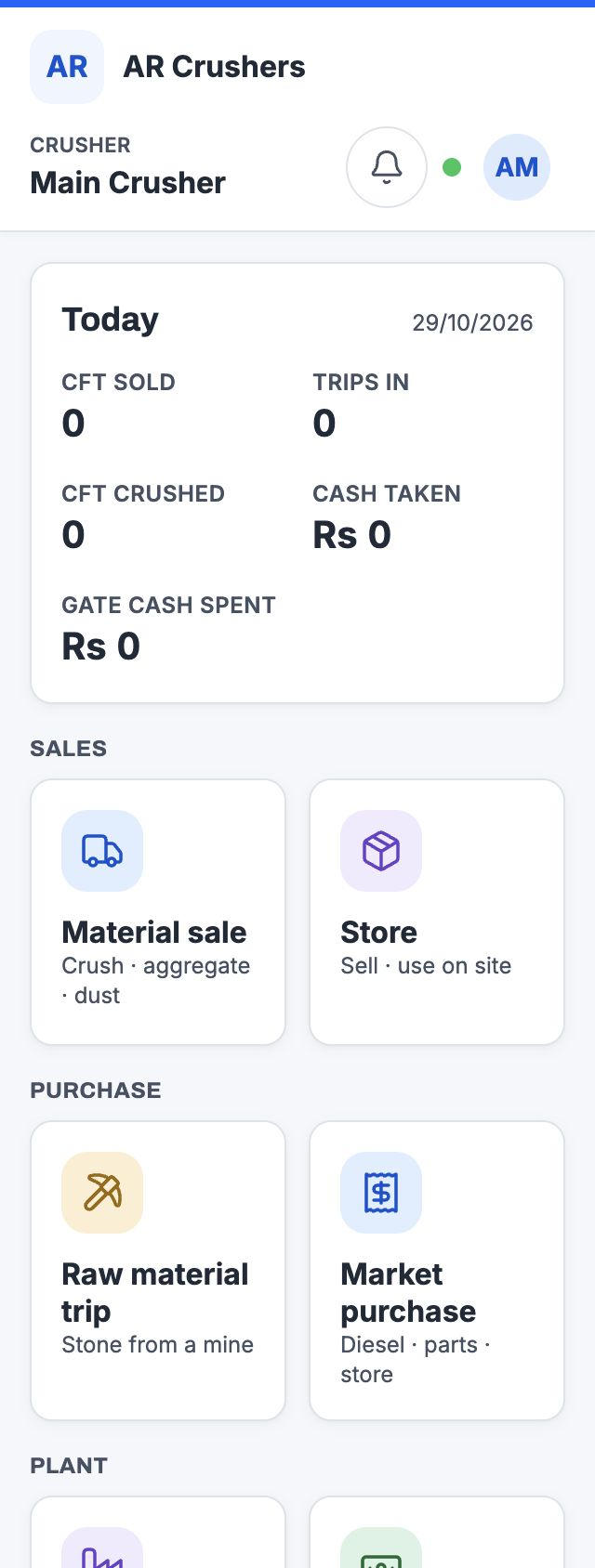
Record supported daily activity on a phone, close to where the work happens.
Review entries, follow ledgers and cash movements, and handle closing workflows.
Review the activity of the crushers you manage, with access across the business.
A busy gate. An office review. A report someone needs to take away. Crusher Management brings useful details into the flow of work.
See these workflows in a demoSite entries arrive as drafts for the office to check, complete and finalise. Give daily recording and accounts review their own clear responsibilities.
Draft → review → finaliseSave a material sale and produce a numbered gate slip. Prepared devices can print offline using slip numbers reserved in advance.
Sale → slip → reprintEnter CFT directly or calculate it from length, width and fill. Quick body-size choices help the site team start with familiar vehicle dimensions.
Length × width × fillEnglish and Urdu interface options include a right-to-left Urdu layout. Language availability follows your plant’s enabled setup.
English · اردوFilter supported reports, print them, or download CSV and Excel files for review and sharing with the people who need the detail.
Review → export → shareAuthorized office corrections to finalised entries require a reason and leave an audit record. Follow the change instead of losing its context.
Who changed it. Why it changed.Crusher Management supports offline recording. If the internet drops, your site team can keep recording material sales, raw-material trips, production, market purchases, gate expenses and store use on a prepared device. Entries stay queued on that device and sync when the connection returns.
Sign in and prepare the device while online, with offline recording enabled for your plant. We can walk you through the setup in a demo.
Explore the workspace. Select a view and enlarge it for the detail.
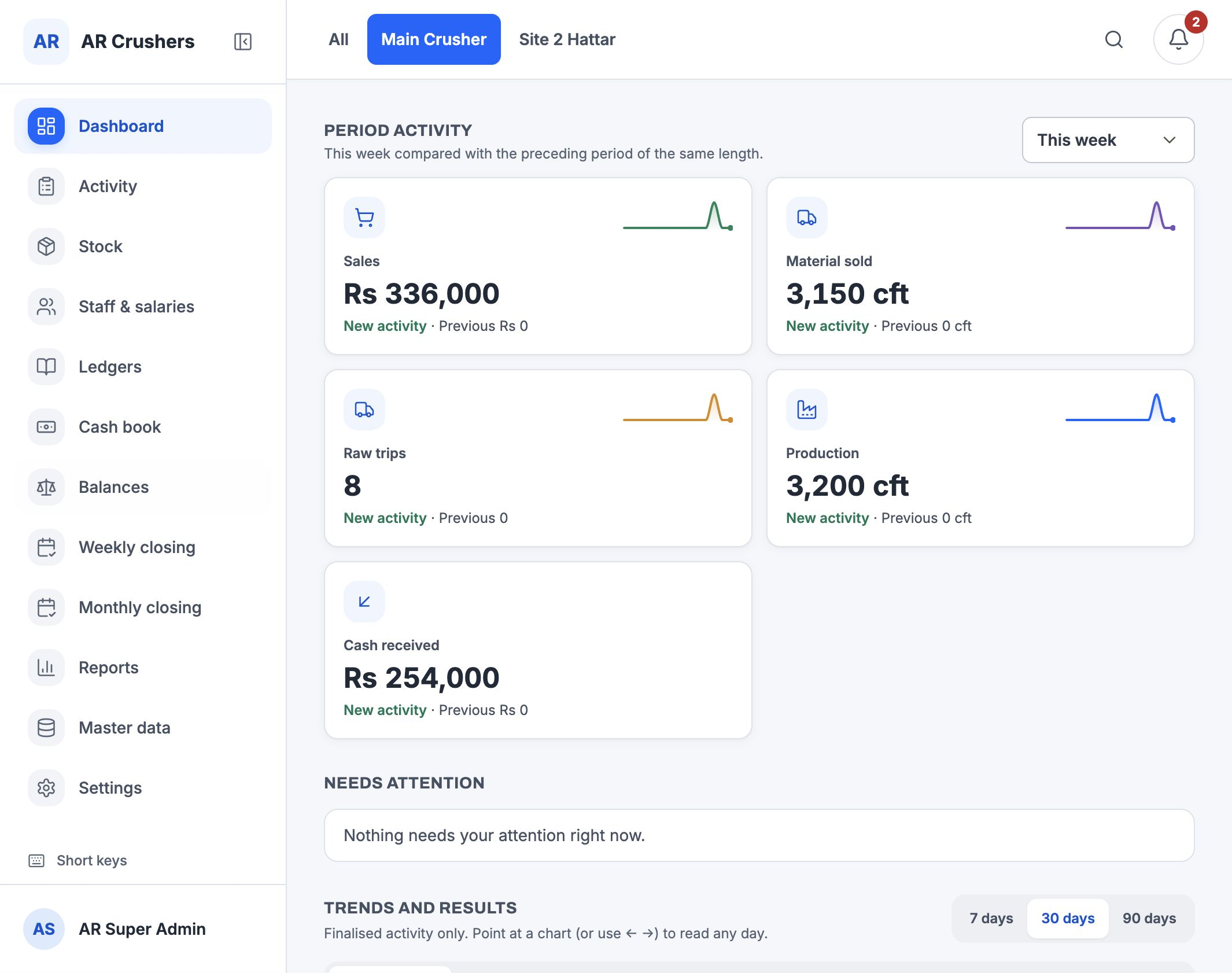
The owner’s view: sales, material sold, raw trips, production and cash received.
Record a material sale with CFT, cash or credit, and received amounts.
Enter the load quantity directly or use the supported dimension calculation.
Choose the payment type alongside the rate and sale amount.
Keep the money received with the sale record.
Follow party balances and the transactions behind them.
Review what parties owe the business and what the business owes them.
Narrow the view to the records you want to review.
Read the transaction detail alongside the balance.
Review stock through the product’s stock and material records.
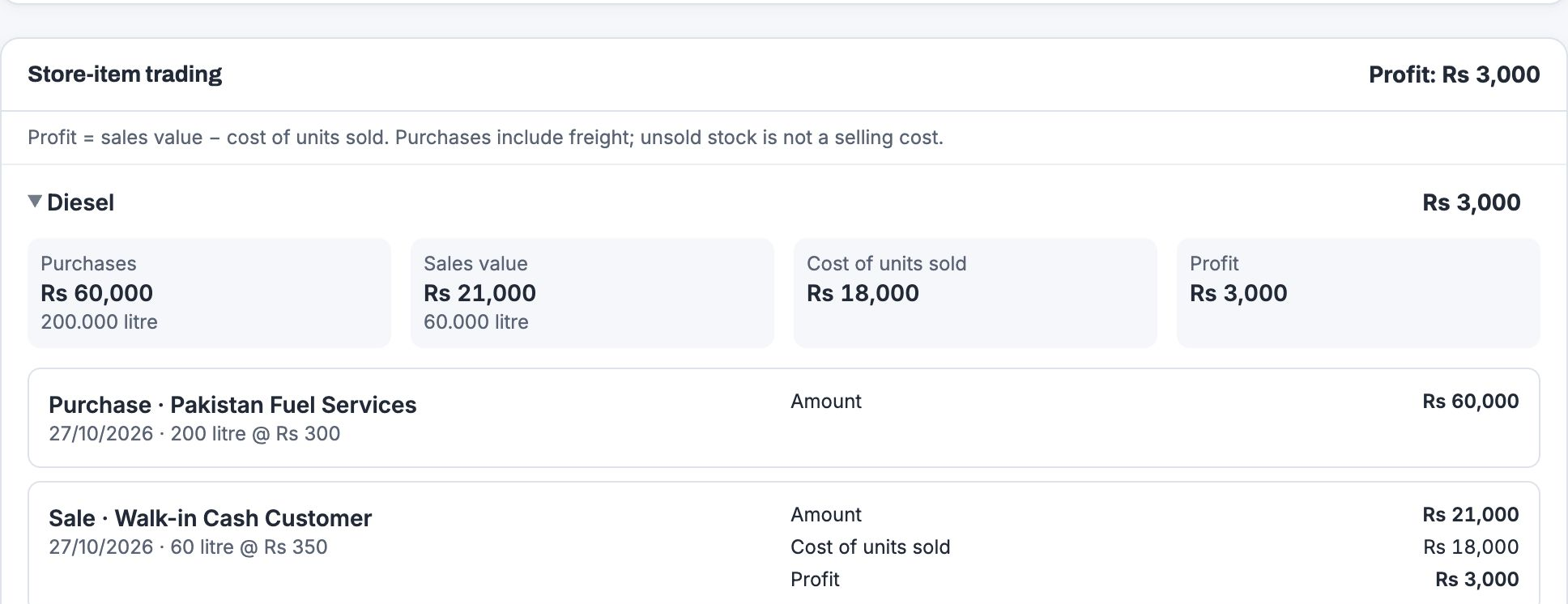
Review closing activity, cash, balances and period profit.
An offline-ready site workspace in the web app. Record supported daily work on a prepared device, then sync on reconnect.
See the site’s recorded daily activity at the top of the workspace.
Open material sales, raw-material trips and other supported site flows.
Supported entries queue on the prepared device and sync when connectivity returns.
Bring your trip, sales and accounts routines to the demo.
Walk through plants, materials, parties and access.
Explore the site and office workflows together.
Confirm the right setup before using real business records.
Yes. Crusher Management is an offline-ready web app. After the device has been prepared online and offline recording is enabled, supported site entries can continue without a signal and sync on reconnect. Office posting, approvals, live reports, first sign-in and new setup need a connection. Previously loaded operational data can remain available on that device.
Yes, when the device has already reserved a block of slip numbers while online. It can issue a number, build the slip and print locally without waiting for a connection. If no reserved numbers are available, the entry can be queued and the slip becomes available after it syncs. Printing also depends on your device and printer setup.
Crusher Management runs as a web app. On supported browsers and devices, it can also be added to the home screen. Prepare the device while connected before relying on its offline recording workflows.
The product offers English and Urdu interface options, including right-to-left Urdu layouts, when the language option is enabled for your plant. Ask us to show both in your walkthrough.
Supported reports include print, CSV and Excel download options. Use the available filters to prepare the records you need for review. Generating current reports requires a connection.
The site team records supported entries as drafts. Once synced, authorized office staff can check the details, complete required rates and finalise them. Office staff can also record entries directly with the appropriate access.
Daily records for raw-material trips, production, material sales, purchases, receipts and expenses connect with stock, party ledgers, cash book, weekly settlement and monthly closing workflows.
Yes. The web app includes a phone workspace for daily site recording, with offline-ready entry flows, local queueing and sync on reconnect. Prepare the device while connected before relying on offline use.
Yes. Authorized owners can select the crushers they manage and review combined activity. What a staff member can view or change depends on their assigned access.
Material sales support printable gate slips, with the plant identity and sale details. Ask for a demonstration of the print workflow with your intended device and printer.
The public demo is intended for exploration with dummy data. Do not enter private business or personal information. Demo credentials are provided on the portal login page.
Request a guided demo and describe your trip, sales, accounts and closing routines. Walk through the relevant workflows before making a decision.
Open the demo portal and use the credentials shown on its login page. Please use dummy information only.
Explore demo accountTell us about your crusher and the questions you want the software to help answer.
Request a guided demo